
VPN Proxy Speed - Super VPN
TOPAPPS TECH PTE LTDProductivity
4.924.13K Reviews
- Version
- 4.6.9
- Installs
- 100.00M
- Age Rating
- Everyone
Screenshots
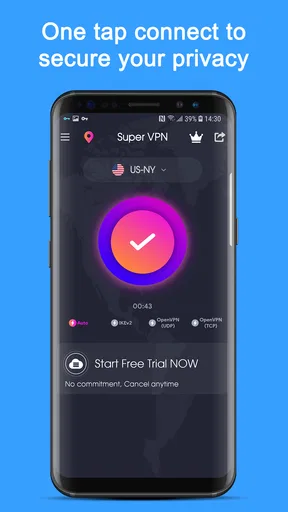
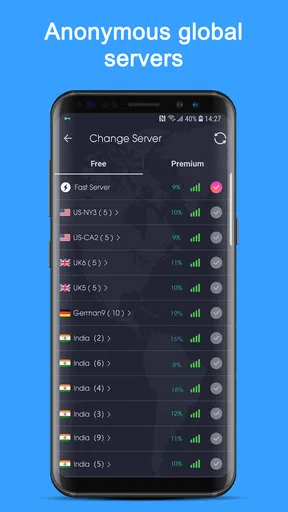
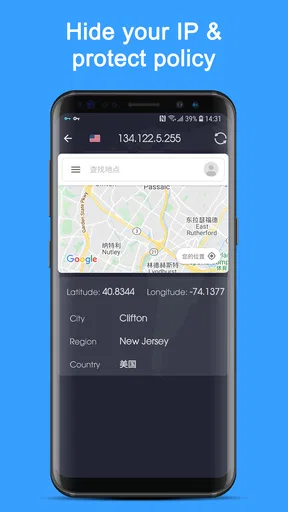
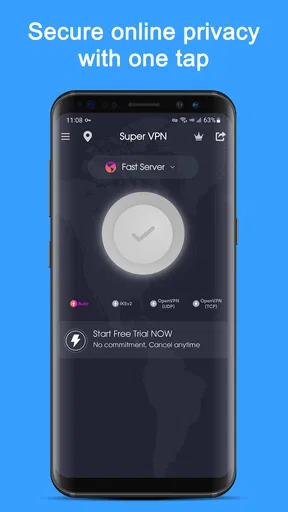
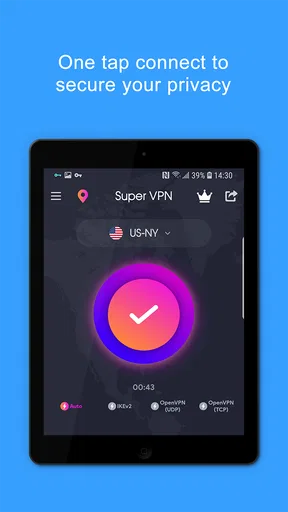
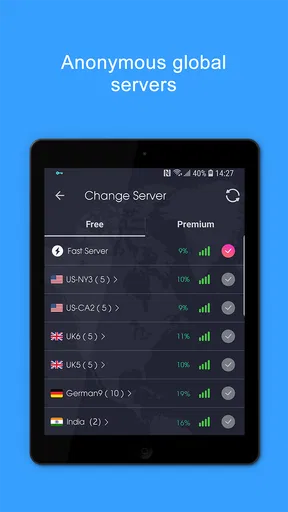
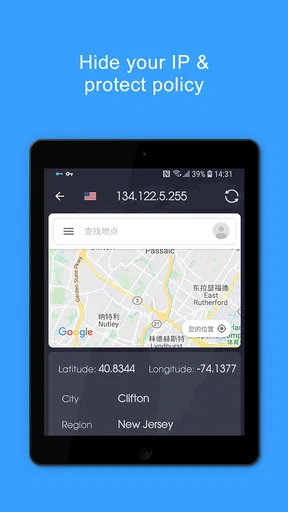
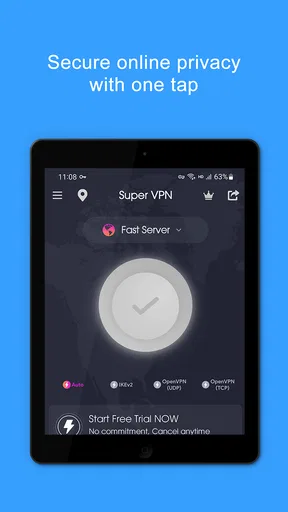
Our Review of VPN Proxy Speed - Super VPN
 Analysis by Appyee
When I test a VPN, I do not begin with the promise of speed. I begin with a more practical question: will this be simple enough for everyday use, especially when more than one person in a household depends on the same device? VPN Proxy Speed - Super VPN, developed by TOPAPPS TECH PTE LTD, is built around that straightforward idea. It is a free productivity app for Android, with optional purchases, and its main job is to create a VPN connection through a proxy-style interface without making the user learn networking terminology.
After using it, my impression is that its strongest quality is accessibility. The app is easy to approach when you want a quick privacy layer on public Wi-Fi, need to test whether a different connection route works better, or simply want a less technical alternative to manually configuring a VPN. That simplicity also creates its main limitation: people looking for detailed control, a clearly documented privacy workflow, or advanced household administration may find the experience too basic.
How it fits into a shared household device
A realistic example is a family tablet or a spare Android phone used by several people. One person may connect it to café Wi-Fi, another may use it while travelling, and someone else may need a stable route for ordinary browsing. In that situation, the app can be useful because the connection is handled at the device level rather than requiring every individual to understand VPN settings. I can imagine opening it before using an unfamiliar network, connecting, and then handing the device to another household member.
That convenience should not be confused with separate user accounts. A shared device still has shared app state, shared connection choices, and shared responsibility. If one person turns the VPN on, the next person may not know whether it is still active unless they check. I would therefore treat the app as a tool for the device, not as a personal privacy profile for each member of the household.
This distinction matters in homes where adults and children use the same phone or tablet. A VPN may change how traffic is routed, but it does not automatically create age-appropriate browsing boundaries, screen-time rules, or content supervision. I would not install it expecting family controls. Those responsibilities belong to the operating system, the browser, the home network, or a dedicated parental-control solution.
For a single adult user, the shared-device concern is less important. The app is at its most appealing when the goal is quick connection rather than ongoing management. I found the concept easier to understand than a traditional VPN client filled with protocol choices and technical switches. Someone who has never used a VPN can approach it as a simple connect-and-browse utility.
What the first setup feels like
The initial setup is where I would encourage a little patience. A VPN application needs permission to establish a VPN connection, and Android makes that permission visible to the user. I would read each system prompt instead of tapping through it automatically. The important question is not only whether the app connects, but whether everyone using the device understands when the connection is active and when it has been stopped.
For a household, I would establish a small routine: connect before joining public Wi-Fi, check the Android status indicator, and disconnect when the device returns to a trusted network if that is what the user prefers. This is more reliable than assuming the app will make every decision for you. It also prevents the common shared-device problem where one person changes a setting and another person later wonders why browsing feels different.
The app runs on Android version 7.0 or later, which gives it a broad compatibility range for older phones and tablets. That is helpful if a household keeps an older spare device rather than replacing it every year. At the same time, compatibility does not guarantee that every old device will feel equally responsive. Hardware age, battery condition, network quality, and background activity can all affect the experience.
The current version is 4.6.9. I would keep the app updated through the normal app store process, particularly on a shared device that may be used by people who are not comfortable troubleshooting. Updates can also change the layout or the way connection prompts appear, so it is worth showing other household members where the main control is after an update rather than assuming they will find it immediately.
Coordinating connection habits without creating confusion
The best household workflow is simple and visible. Before someone starts sensitive browsing on a public network, they can open the app, connect, and confirm that Android shows the VPN indicator. Afterward, the next user should know whether the connection remains enabled. I prefer a spoken rule such as “check the status before browsing” over an assumption that the app is always on.
This is especially useful when a teenager borrows a parent’s phone or when a tablet travels between home, school, and public places. The app can support a consistent connection habit, but it cannot explain the reason for that habit to every user. I would pair it with a short conversation about recognizing fake Wi-Fi networks, avoiding suspicious downloads, and not treating a VPN as permission to ignore ordinary online safety.
Another practical point is troubleshooting. If a website or app behaves differently after connecting, the first test should be to disconnect briefly and compare the result. That does not prove the VPN is at fault, but it is a sensible way to isolate connection-related problems. On a shared device, writing down this simple check in a family note can save time when one person reports that “the internet is broken” and another person has changed the connection mode.
I also would not leave a VPN connection enabled blindly just because the app is available. Some services may react differently to a changed network route, and a connection that is useful on public Wi-Fi may be unnecessary on a trusted home network. The right routine depends on the household’s priorities: convenience, privacy, battery use, or compatibility with particular services.
Speed, everyday browsing, and the trade-off behind convenience
The store summary presents the app as a fast VPN proxy, and speed is clearly part of its appeal. In my experience with any VPN, though, “fast” is conditional. The result depends on the local network, congestion, distance to the selected route, the phone’s hardware, and what the user is doing. Reading news and checking messages usually place different demands on a connection than video calls, large downloads, or online games.
That is why I would judge this app by whether it remains usable for the task at hand rather than expecting the VPN to improve every connection. If the household wants a quick privacy option for browsing on airport or café Wi-Fi, the uncomplicated approach makes sense. If someone needs consistently low latency for competitive gaming or dependable performance for work calls, I would test it carefully and keep another connection option available.
There is also a useful troubleshooting trick here: compare the same activity with the VPN connected and disconnected, preferably on the same network and within a short period. This gives a more meaningful impression than judging speed from one isolated moment. It also helps a less technical family member understand that a VPN changes the route, so a slower result does not necessarily mean the phone or home router has failed.
Compared with manually setting up a VPN through Android’s network settings, this app is more approachable. Manual configuration can offer clearer control for experienced users, but it requires server details and a service that supports that setup. Compared with a premium VPN aimed at power users, this app feels more focused on immediate access than on extensive customization. That is not automatically a weakness; it simply means different users will value it for different reasons.
Privacy expectations and the limits of trust
A VPN can protect the connection between the device and the VPN service, but it does not make the user anonymous in every situation. Websites can still identify a person through accounts, cookies, browser fingerprints, or information the user voluntarily provides. A VPN also cannot protect someone from phishing, malicious files, weak passwords, or a dishonest website.
For that reason, I would explain the app to a household as one layer of protection, not a complete safety system. Parents should avoid telling children that a VPN makes every online activity private or safe. The same guidance applies to adults who may otherwise assume that turning on the app removes the need for careful browsing.
Trust is also a personal decision. The developer is TOPAPPS TECH PTE LTD, and the app has attracted a 4.9 average from around 1.6 million ratings, with more than 100 million installs. Those figures show that it is widely used and well received, but popularity alone is not a substitute for reading the app’s current store disclosures and privacy information before relying on it for sensitive work.
I would be particularly careful if the device is used for banking, confidential employment tasks, medical information, or anything subject to strict organizational rules. A household user may be satisfied with a free, simple VPN, while an employer may require an approved service with specific security and account-management requirements. In that case, the organization’s solution is the better choice, even if this app is easier to start.
Age context, account boundaries, and in-app costs
The content rating is Everyone, which makes the app suitable for a broad audience from an age-rating perspective. That does not mean every feature or every online destination becomes suitable for children. The rating describes the app itself, not the websites reached through the connection. I would still keep ordinary device supervision and age-appropriate rules in place.
On a shared Android device, I would also separate the question of using the VPN from the question of purchasing anything. The app is free to download and use, but it includes in-app purchases ranging from $1.49 to $39.99 per item. If children or guests use the device, the household account settings should prevent accidental purchases, and adults should explain that a free installation can still contain optional paid items.
This is one area where account boundaries matter more than the VPN connection itself. If several people share one Google account or one unlocked device, purchase controls and download history can become confusing. I would use the operating system’s purchase authentication and review the store account before allowing a child to borrow the device. That advice is not a special feature of the app; it is a sensible safeguard for any free app with optional payments.
The app’s productivity classification also helps set expectations. I see it as a utility that supports safer, more flexible connectivity, not as a complete security suite or a family-management platform. If your main need is filtering content for children, managing individual profiles, or auditing household activity, a dedicated tool will be more appropriate.
Who will appreciate it, and who should choose something else?
I would recommend VPN Proxy Speed - Super VPN to someone who wants a low-friction VPN on Android and does not want to learn manual network configuration. It suits occasional public Wi-Fi use, travel browsing, and shared devices where several people need the same basic connection option. Its free entry point makes it easy to try before deciding whether the workflow fits.
I would be more cautious about recommending it as the only VPN for a family with advanced needs. If each person requires an independent account, separate settings, detailed activity management, or a specialized business connection, this is probably not the right tool. The same applies to users who need a particular server location, extensive protocol control, or a formal support arrangement; a more specialized VPN service may be a better match.
It may also be the wrong choice for someone who dislikes advertising or optional purchase prompts in free utilities. The paid items are part of the app’s model, so I would review the available choices rather than assuming every function is included without cost. On a child’s device, I would be especially deliberate about purchase restrictions.
Another trade-off is simplicity versus transparency. A streamlined interface is friendly for beginners, but experienced users may want more information about connection behavior and more control over how the service operates. I would not penalize the app for failing to be a different kind of product, but I would make that distinction clear before installing it.
My household verdict
After considering it as a shared-device utility, I think this app works best when the household agrees on what it is for. Use it as a convenient VPN layer for unfamiliar networks, teach everyone how to recognize the active connection, and keep age supervision, account security, and purchase controls separate. That combination is more realistic than expecting one app to handle every aspect of online safety.
Its strongest advantage is the low barrier to entry. A free productivity app with broad Android compatibility, a 4.9 average, and over 100 million installs is clearly easy for many people to adopt. I also like that it can serve an older spare phone or a family tablet without demanding a technical setup. For everyday browsing, that practicality is more valuable than a long list of advanced settings that most users never touch.
My reservations are equally straightforward. A VPN can affect compatibility and speed, the free model includes optional purchases, and the app should not be treated as parental control, anonymity, or a replacement for a work-approved security service. Shared devices need clear routines because the connection state belongs to the device, not to each individual user.
My recommendation is simple: choose it for convenient, occasional Android VPN use, but set household boundaries before handing the device around. If your priority is quick protection on public Wi-Fi and an approachable interface, it is worth trying. If your priority is detailed administration, separate family identities, or enterprise-level control, I would look at a more specialized alternative instead.
Verdict
Strengths of VPN Proxy Speed - Super VPN
- One-tap connection makes it easy for beginners.
- Offers a wide selection of server locations.
- Useful for securing data on public Wi-Fi networks.
- Connection status is clearly shown in the main interface.
- Works without requiring advanced VPN configuration.
Limitations of VPN Proxy Speed - Super VPN
- Free access may include frequent advertisements.
- Some servers can become slow during peak usage times.
- The best locations and features may require a subscription.
- VPN performance can vary significantly by region.
- Privacy details may be difficult for casual users to evaluate.
Similar Picks in This Category
View All
Google Calendar
Google LLC4.6

Google Drive
Google LLC4.3

Google Assistant
Google LLC3.9

Microsoft OneDrive
Microsoft Corporation4.6

Samsung Calendar
Samsung Electronics Co., Ltd.4.1

Microsoft OneNote: Save Notes
Microsoft Corporation4.6
Frequently Asked Questions
What is VPN Proxy Speed - Super VPN used for?
VPN Proxy Speed - Super VPN is designed to route your internet connection through a VPN server, helping mask your IP address and add privacy when browsing on public or unfamiliar networks. It may also help access services that are restricted by region, although availability and performance can vary. It should not be treated as complete anonymity or a replacement for careful online security habits.
Is VPN Proxy Speed - Super VPN free to use?
The app may offer a free connection option, but free VPN services commonly include advertisements, limits on server locations, connection time, speed, or available features. Some functions may require an in-app subscription or premium plan. Before downloading, check the current Google Play or App Store listing for pricing, trial conditions, renewal terms, and whether the subscription is managed through your device’s store account.
Does VPN Proxy Speed - Super VPN keep logs of user activity?
You should review the app’s current privacy policy before relying on it for sensitive browsing. A VPN can hide traffic from some local network observers, but the VPN provider may still process connection information, device data, diagnostic details, or usage-related information. The exact data collected, retention period, and sharing practices can change, so the store listing and official policy are the most reliable sources.
Will VPN Proxy Speed - Super VPN make my internet faster?
Despite its name, a VPN does not automatically improve internet speed. Encryption and the distance to the selected server can sometimes reduce performance, while a VPN may occasionally help if an internet provider is throttling a particular service. In testing, results depend on the server, network quality, time of day, and whether you use Wi-Fi or mobile data, so speeds can vary considerably.
Is VPN Proxy Speed - Super VPN safe for banking, streaming, and everyday browsing?
A VPN can provide an additional layer of protection on public Wi-Fi by encrypting the connection between your device and the VPN server, but it cannot prevent phishing, malware, weak passwords, or unsafe websites. Banking apps may reject VPN connections, and streaming platforms can block known VPN servers or restrict content based on licensing. Keep your apps updated and verify the provider’s privacy practices before using it for sensitive activity.
